Getting Started
Overview
Sale
Refund
End Of Day
Training Mode
Customer Account Balance
Customer Account Payment
Customer Account Charge
Gift Card Balance
Gift Card Load
Gift Card Redeem
Gift Card History
Gift Card Create
Gift Card Order
Video Slideshows
Restaurant POS
Restaurant Web Portal
Retail POS
Retail Web Portal
Sale Transaction
Refund and Exchange
Viewing Slideshows
POS Operation
Login Screen
Orders Screen
Order Detail Screen
Payment Screen
Fast Order Screen
Restaurant Screen
Customer Waitlist
Customer Management
Inventory Management
Online Store Orders
Appointment Book
Sales Orders
Basic Setup
Devices
Operators
Categories
Products
Modifiers
Discounts
Tax Types
Taxes
Advanced Setup
Appointment Book
Fast Order Screen
Templates
Gift Card Orders
Web Portal Users
Online Store Setup
Overview
Logo & Images
Settings
Products
Pages
Schedule
Discounts
Taxes
Locations
Subscriptions
Online Booking Setup
Overview
Logo & Images
Settings
Products
Pages
View Data
Transactions
Inventory
Customers
Suppliers
Waitlist
Time Clock
Gift Cards
Reports
Reports
Settings
Settings
Install App
Register
Elo App Install
Elo WiFi Setup
Elo Time Setup
Elo Scanner Setup
Elo Delete Data
Tablet App Install
Tablet Android Setup
Tablet Delete Data
PAX App Install
Demo Mode
Install Hardware
Hardware Wiring
POS-n-go Network
Printer Bixolon SRP-350
Printer Epson TM-m30
Printer Star TSP100
Printer Star TSP650
Printer Star SP700
Scanner Code CR921 T500
Scanner Inateck BCST-10
Scanner Motorola LI4278
Scale Valor 7000
Payment Terminals
CA Chase Paymentech
CA Clover
CA Elavon
CA Global Payments
CA Helcim
CA PAX
CA Nuvei Dejavoo
CA Nuvei Telium
US Clover
US Elavon
US PAX
PCI
PCI Nuvei Payments
POS-n-go Android POS Manual
Gift Card History
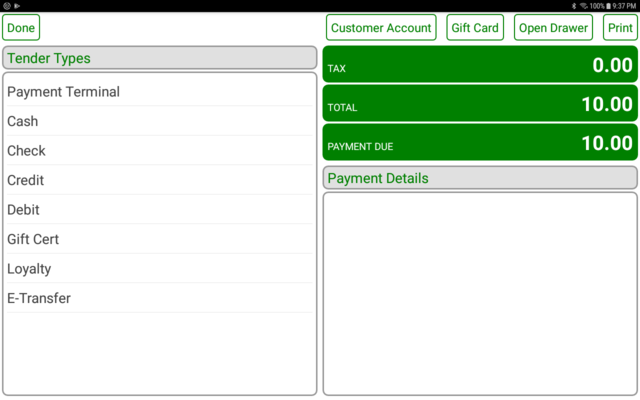
Select the PAY button to go to the payment screen.
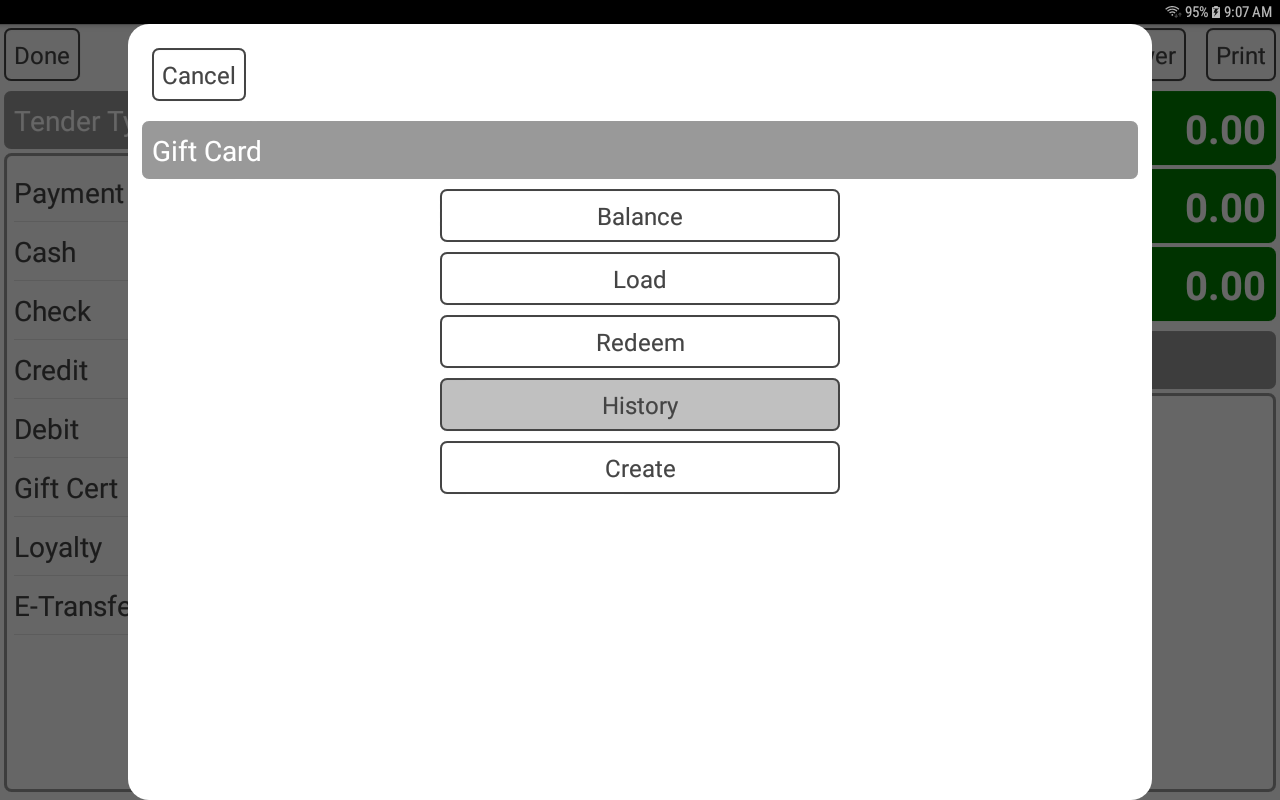
Select the GIFT CARD button.
Select the HISTORY button.
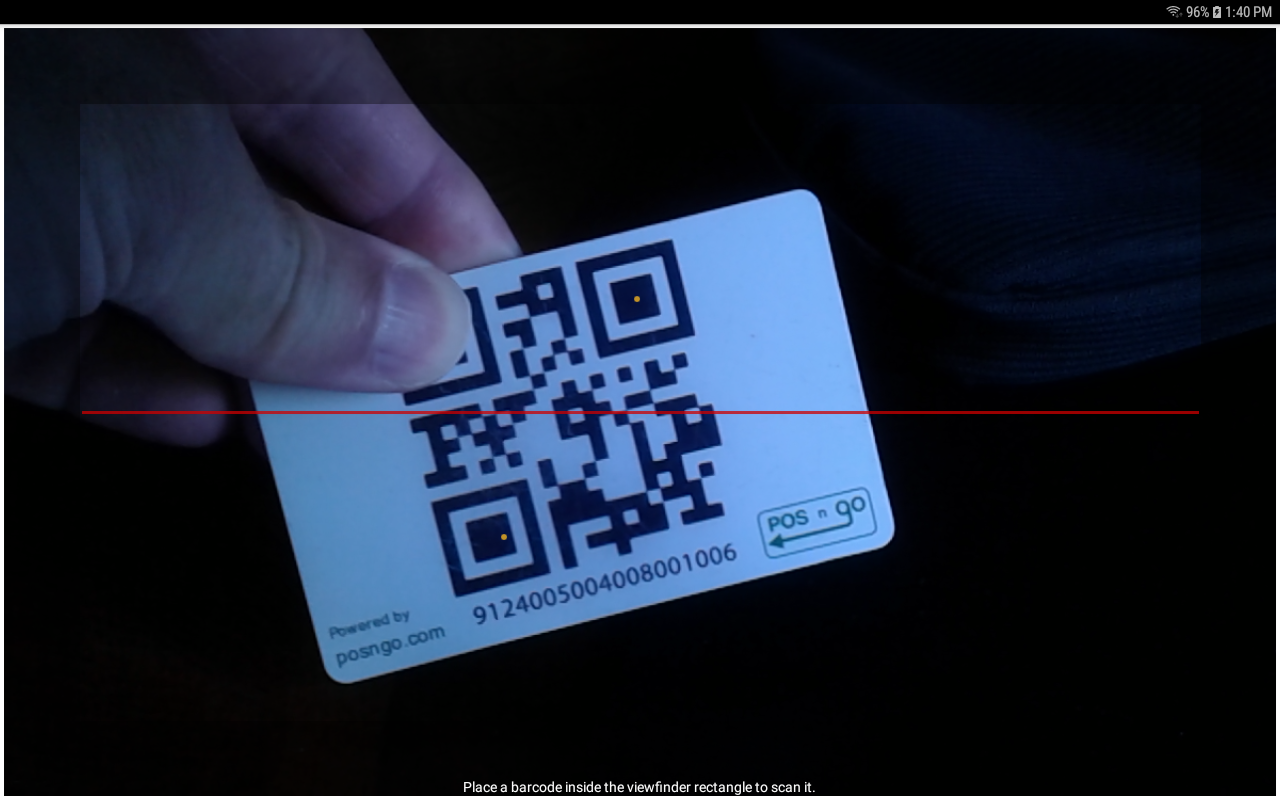
Scan the bar code or present the QR code to the camera.
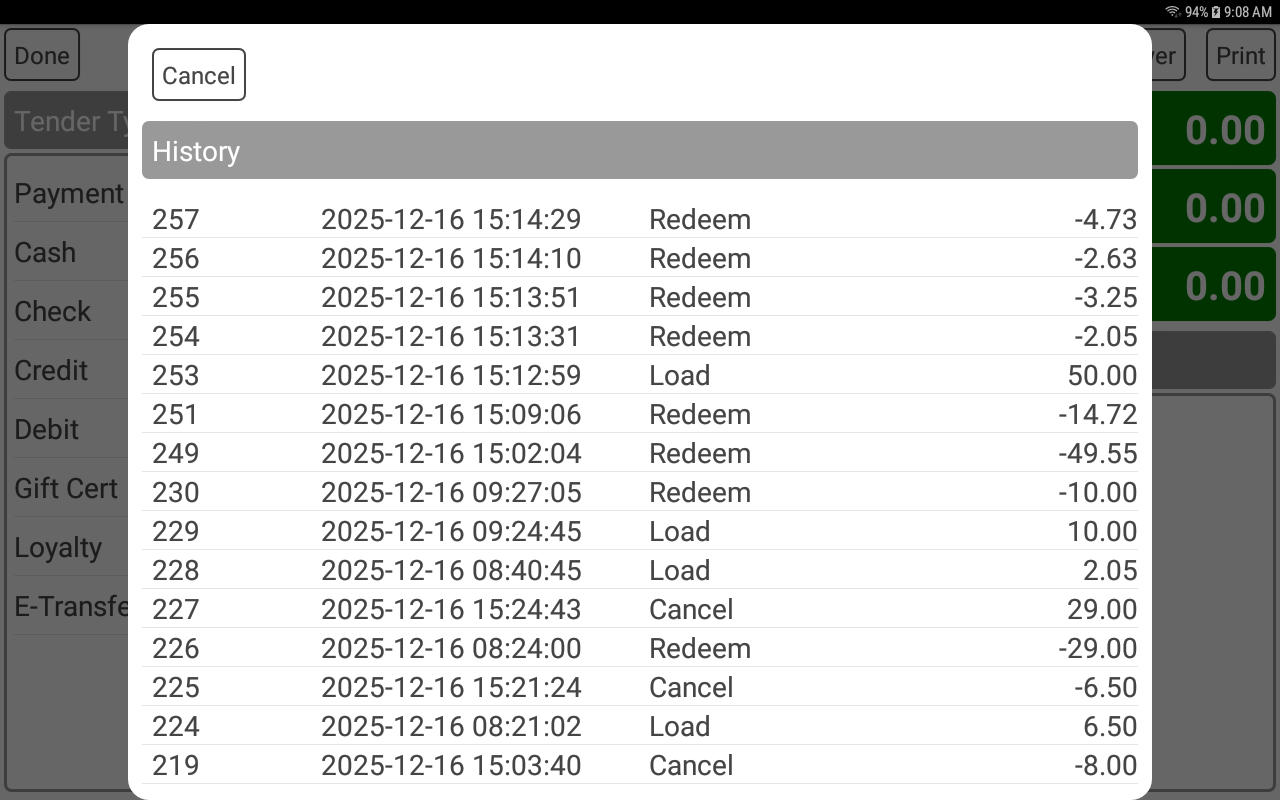
The card history will be displayed.